Notice. New forum software under development. It's going to miss a few functions and look a bit ugly for a while, but I'm working on it full time now as the old forum was too unstable. Couple days, all good. If you notice any issues, please contact me.
Volhout Guru Joined: 05/03/2018 Location: NetherlandsPosts: 6184
Posted: 07:34am 16 Oct 2026
Copy link to clipboard
Print this post
Both boot switch and usb switch could be at the bottom side. Maybe domething for a rainy day.
The PC3 is a great design, but the USB is the only thing that I regret. The pico used as CDC can automatically be forced into update mode, without using a boot switch, and the tranfer speed is not limitted to 115200. So uploads and downloads are quick.
Anyway... who wants to update firmware? Mmbasic is almost complete as it is now. Few mire bugfix releases, and you never need the boot switch anymore.
hhtg1968 Senior Member Joined: 25/05/2023 Location: GermanyPosts: 247
Posted: 09:59am 16 Oct 2026
Copy link to clipboard
Print this post
silly questions:
how to use "update firmware" in detail?:
0. plug off usb-c power on pico3?
1. connect pc oder mac with usb a to usb micro on pico3?
2. enter "update firmware" on pico3?
3. pico3 "reboots" into update mode?
4. pico3 mounts on pc/mac?
5. place ...u2 on pico symbol on desktop of mac/pc?
6. what is with the switch "usb hub disable"?
mozzie Guru Joined: 15/06/2020 Location: AustraliaPosts: 468
Posted: 10:11am 16 Oct 2026
Copy link to clipboard
Print this post
G'day, During a firmware testing round the best bet is to simply leave the lid off, most of the boards here are simply naked (hopefully they'll get together and make some Pico Zero's)
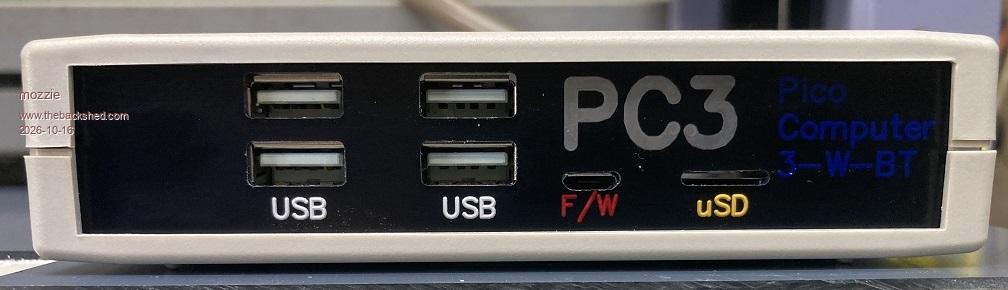
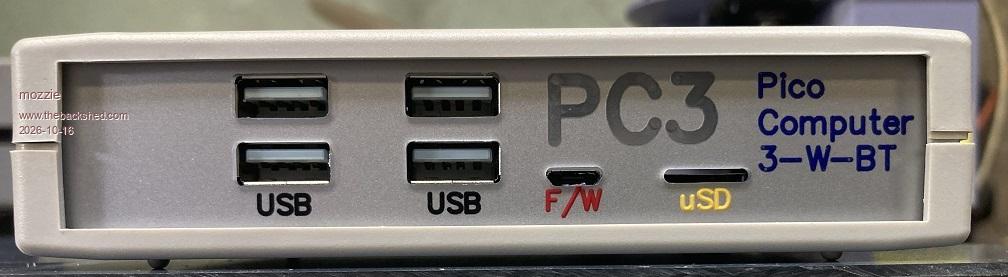
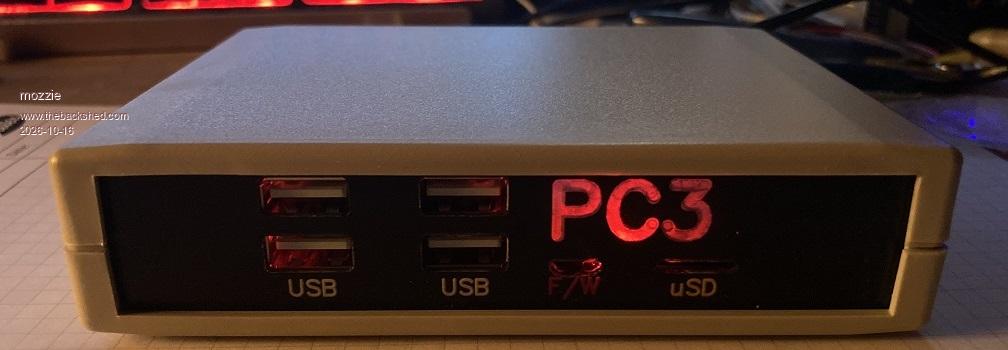
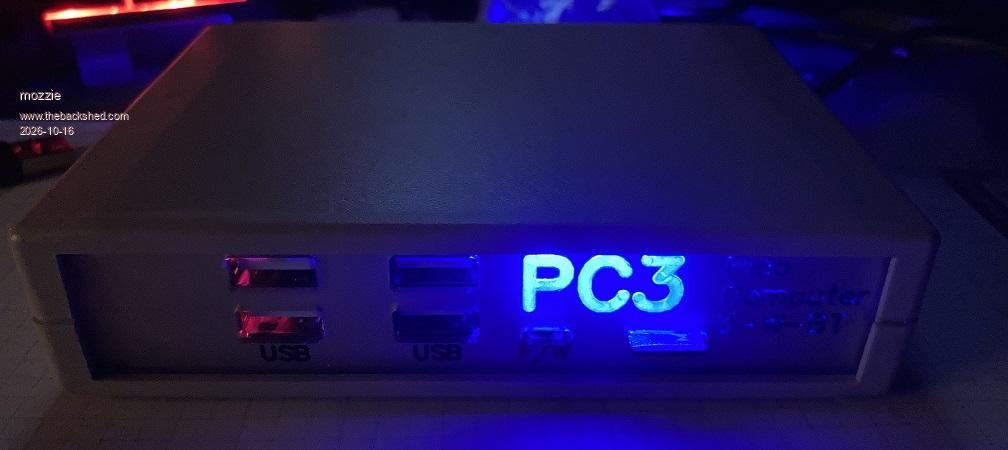
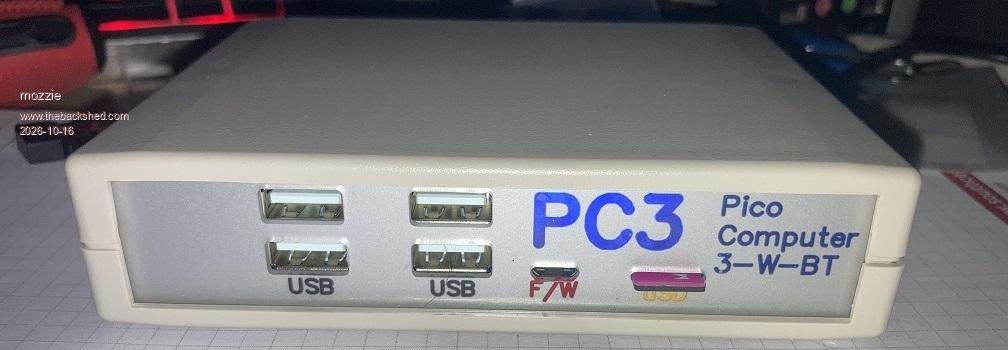
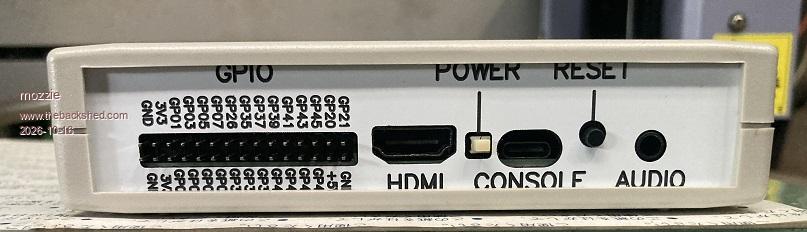
Having said that, whilst ordering engraving sheet for other projects this week I added some extra to finally make some fascias for the PC3 enclosure. After a bit of stuffing around in CAD and with the machine, I must admit I'm pretty stoked with the result
These are "reverse engraved", so the cut is from the back and can be filled with paint for colour or backlit with an LED.
Black on clear first try, needs adjusting:
Silver on Clear second try:
Hearbeat LED as backlight:
Blue LED as backlight in dark:
Blue LED as backlight in light:
Rear Panel, normal front engraved, needs more work:
The font is Simplex and my graphic design skills are terrible, but the reverse engrave technique has always looked good to my mind.
Regards, Lyle.
mozzie Guru Joined: 15/06/2020 Location: AustraliaPosts: 468
Posted: 10:29am 16 Oct 2026
Copy link to clipboard
Print this post
G'day HHTG1968 You have it pretty close:
2.5 Change switch to USB HUB DISABLE
6. Change switch to USB HUB ENABLE when download finishes.
7. Enjoy the new PicoMite goodness
Regards, Lyle.
hhtg1968 Senior Member Joined: 25/05/2023 Location: GermanyPosts: 247
Posted: 11:33am 16 Oct 2026
Copy link to clipboard
Print this post
ok. I will try it soon.
but it seems to be necessary to open the case to use the switch...
Mixtel90 Guru Joined: 05/10/2019 Location: United KingdomPosts: 9220
Posted: 01:12pm 16 Oct 2026
Copy link to clipboard
Print this post
Not on Elemento 2 and (soon to be) PC3xWS Version 2. :) . Edited 2026-10-16 23:12 by Mixtel90Mick
ville56 Guru Joined: 08/06/2022 Location: AustriaPosts: 641
Posted: 08:36am 18 Oct 2026
Copy link to clipboard
Print this post
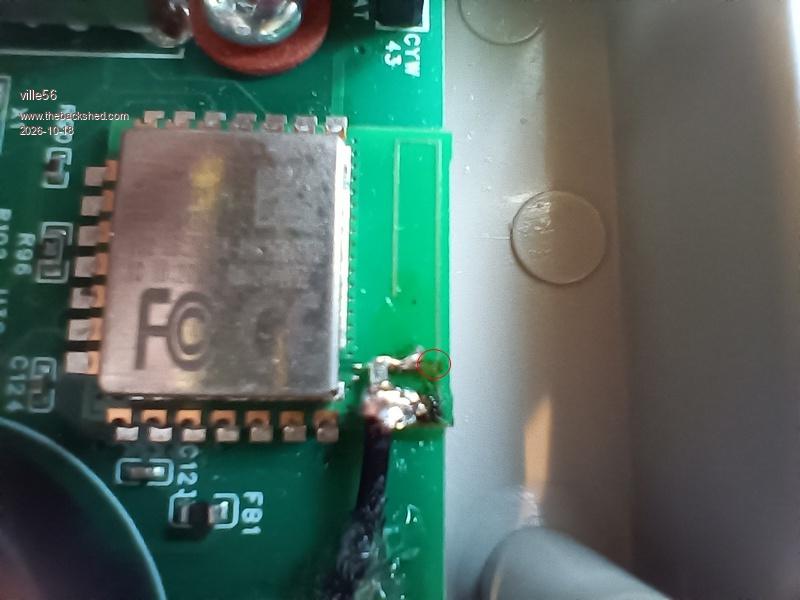
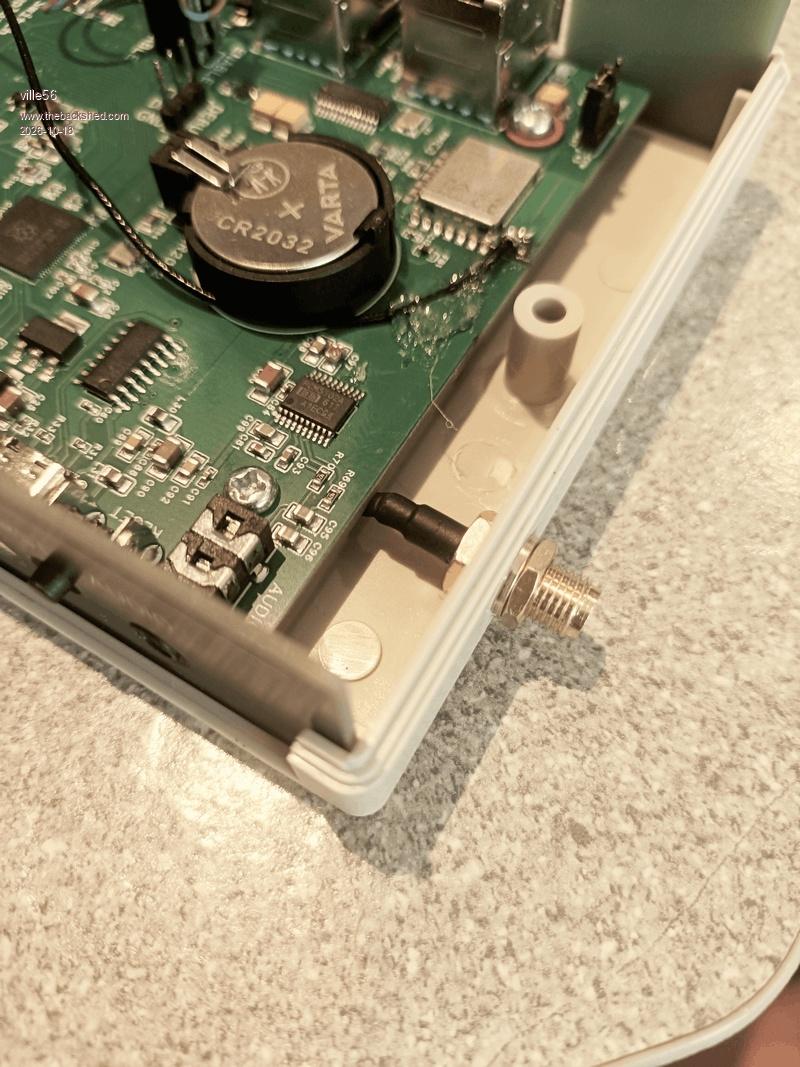
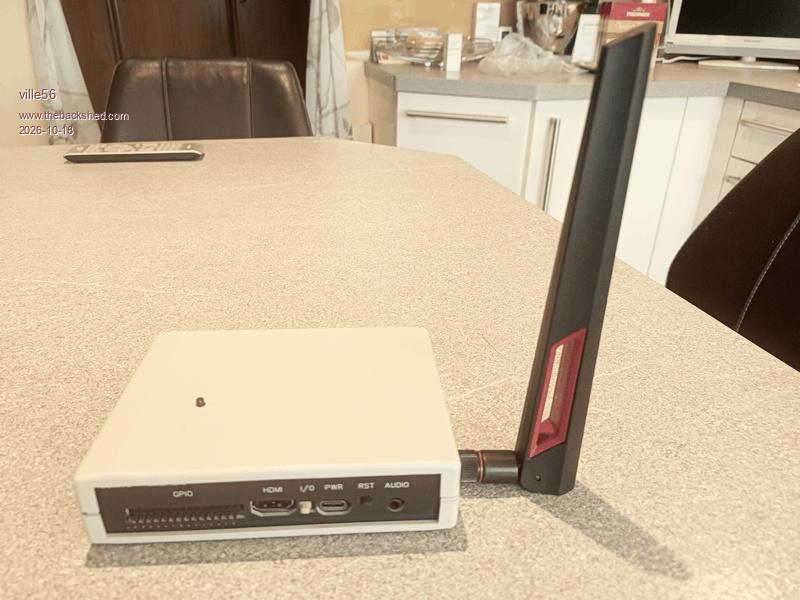
As I do have problems with WiFi coverage, despite a router and 3 repeaters, I've done a mod on the WiFi module to add an external antenna. The mod gives me about 20 - 30 dB gain on the signal (according to the rssi values) and now covers the area I need.
The mod itself was technically easy, just cutting the copper track for the resonant circuit on the module, scraping off the solder mask from the ground and antenna tracks and soldering the coax cable. The point for the cut is between the coax inner conductor solder point and the rightmost PCB track on the first picture (at the red circle). This leaves the antenna connection comeing from under the metal shield free to solder.
It's a bit tiny for sure and my eyes are simply not the best anymore after 70 years of constant usage ... but it worked on the first approach.
The connector is a reverse SMA as all the WiFi antennas I know do use that. The cable had a tiny connector on the other side which I just did cut off. The length of the cable is intentionally for being able to take the PCB out of the case easily. The loss of another 2 or 3 dB because of the additional length should not matter. The strain reliefe is high tech: hotmelt adhesive, but it is important as the coax is really thin stuff as are the PCB tracks.
The most demanding part ...
73 de OE1HGA, Gerald
Mixtel90 Guru Joined: 05/10/2019 Location: United KingdomPosts: 9220
Posted: 08:45am 18 Oct 2026
Copy link to clipboard
Print this post
Do you have a very understanding radio regulations enforcement people in Austria then? And you a radio amateur too. ;)
ville56 Guru Joined: 08/06/2022 Location: AustriaPosts: 641
Posted: 09:02am 18 Oct 2026
Copy link to clipboard
Print this post
Radio regulation ... hmmm, that is a special topic here as probably anywhere in the western countries.
I should have regular inspections from them as licensed amateur, the last one was 17 years ago. They are not overstaffed ... Amateurs reporting spectrum violations are queued at the far end as will be ISM band issues. They certainly do what they can.
So to be practical: if one does not do really harm to the spectrum there, I think noone will or can care. OTOH as the external antenna itself has a maximum theoretical gain of 2,15 dBi and the modules output is 16 dBm it will not exceed the 20 dBm limit. So I assume to be on the safe side with the ERP with the mod. 73 de OE1HGA, Gerald
Mixtel90 Guru Joined: 05/10/2019 Location: United KingdomPosts: 9220
Posted: 09:25am 18 Oct 2026
Copy link to clipboard
Print this post
I don't think it's something I'd get too upset about - and I'm a (non-operational) radio amateur too. :)Mick

 Notice. New forum software under development. It's going to miss a few functions and look a bit ugly for a while, but I'm working on it full time now as the old forum was too unstable. Couple days, all good. If you notice any issues, please contact me.


 Print this post
 (hopefully they'll get together and make some Pico Zero's)