Notice. New forum software under development. It's going to miss a few functions and look a bit ugly for a while, but I'm working on it full time now as the old forum was too unstable. Couple days, all good. If you notice any issues, please contact me.
Volhout Guru Joined: 05/03/2018 Location: NetherlandsPosts: 6184
Posted: 08:19am 16 Apr 2026
Copy link to clipboard
Print this post
@Peter,
Up to now, 2040MINV60202b4 is running all Game*Mite software (even the thermal camera, that was heap critical), and gives a nice larger A: drive. I did fit 3 extra games in it (including a slightly modified Breakout (*)).
I plan to use this version in the new Game*Mite release, unless you advise different.
Volhout
(*) The Breakout game creates a "temporary" file on A: that contains the sprites, and does not clean that up. I added the removal of the file after loading the sprites. In fact, a little more effort could have bypassed this use of a file. I have to admit I did the exact same for Snake (which Geoff detected, and decided to remove the file generation, and keep the files).PicomiteVGA PETSCII ROBOTS
matherp Guru Joined: 11/12/2012 Location: United KingdomPosts: 12034
Posted: 08:45am 16 Apr 2026
Copy link to clipboard
Print this post
Volhout
The MIN version shouldn't see any changes before the release. Of course, something I do in the other versions might break it temporarily but the fixes are normally trivial. It certainly won't get anymore functionality. I have tweaked a couple of settings so I'm interested to know how the performance looks.
dddns Guru Joined: 20/09/2024 Location: GermanyPosts: 924
Posted: 12:17pm 16 Apr 2026
Copy link to clipboard
Print this post
I have a problem using the backlight pin function with a SSD1963. It works only for the very first time the display is configured. I'm using then
backlight 50,default
and it will dim the backlight. But with the next cpu restart, reset or power cycle the display is dark. Only setting it to backlight 100 will turn it on at 100% but every other value will leave it dark. I tested it with slower cpu speed, different GP's and also with the buffered driver but with no success.
PicoMite MMBasic USB RP2350B Edition V6.02.02B4 OPTION SERIAL CONSOLE COM1,GP32,GP33 OPTION FLASH SIZE 16777216 OPTION COLOURCODE ON OPTION KEYBOARD US OPTION PICO OFF OPTION CPUSPEED (KHz) 384000 OPTION LCDPANEL CONSOLE OPTION DISPLAY 40, 100 OPTION LCDPANEL SSD1963_7_16, LANDSCAPE,GP21 OPTION SDCARD GP29, GP30, GP31, GP28 OPTION PSRAM PIN GP47
It would be really nice if it would work correctly because using the display's internal PWM gives a flickering backlight and the 120Hz PWM causes noise in the amp.
Beside this problem it runs really good! I'm very happy about the new USB enhancements, especially flash drive support and the new FM which brings all I need. It could be a little faster while scrolling with cursor..
Many thanks!
matherp Guru Joined: 11/12/2012 Location: United KingdomPosts: 12034
mozzie Guru Joined: 15/06/2020 Location: AustraliaPosts: 468
Posted: 01:41pm 16 Apr 2026
Copy link to clipboard
Print this post
G'day, Thanks for the replys, Matthias nailed it, updated Teraterm and all working again. Have been using 4.100 for many years with no problems, strange that from V6.02.02B1 to B2/B4 it has stopped working.
Regards, Lyle.
dddns Guru Joined: 20/09/2024 Location: GermanyPosts: 924
Posted: 01:45pm 16 Apr 2026
Copy link to clipboard
Print this post
Sorry, it shows the same behavior.
The version you compiled is standard, I'm using the USB variant.
Many thanks for investigating
Peter63 Senior Member Joined: 28/07/2017 Location: SwedenPosts: 217
Posted: 02:10pm 16 Apr 2026
Copy link to clipboard
Print this post
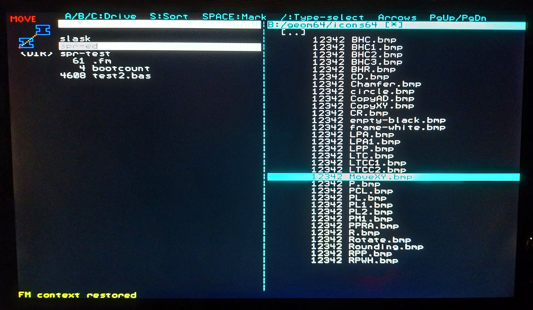
FM-notes from me... I went through a number of "my own ICON files" in BMP format, all files the same size. But at the 33rd one that I was going to look at, it gives Error: Not enough memory. I close FM and start it up again. Tried doing the same thing again, at the 33rd one it gives Error: Not enough memory. Not a big deal for me, just a note from me...
Using FM, as I go through a number of ICON files, size 12342 bytes (attaching one file here). I press Enter and the BMP file is displayed perfectly OK, but when I look at it for the 33rd time, it becomes Error...
matherp Guru Joined: 11/12/2012 Location: United KingdomPosts: 12034
Posted: 02:16pm 16 Apr 2026
Copy link to clipboard
Print this post
I tested with 4.108 and found it working fine.
I've tested this new USB version with the scope and the backlight pin is definitely doing the right thing. If it doesn't work for you then there is something electrical going on
Mixtel90 Guru Joined: 05/10/2019 Location: United KingdomPosts: 9220
Posted: 02:43pm 16 Apr 2026
Copy link to clipboard
Print this post
I'd start by looking at the supply to the backlight of the SSD1963. If possible run a separate wire in parallel to the display supply and stick a decent cap across the display supply reasonably close to it. PWM drives the backlight in big pulses and the cap will help a lot.Mick
ville56 Guru Joined: 08/06/2022 Location: AustriaPosts: 641
Posted: 03:50pm 16 Apr 2026
Copy link to clipboard
Print this post
I post my problem here as it is also in V6.02.02Bx ...
what am I doing: 1) BLIT LOAD 1,"0",0,0 loading a "0.bmp" file (170x320, 256 colors, 1 byte/pixel) 2) BLIT WRTIE 1, 0, 0 displays the image without any error 3) BLIT WRITE 1, 1, 0 displaying same image 1 pixel shifted to the rigth fails with Error : Not enough Heap memory
Why do I want to do that: the ST7789 LCD panels I use are of the 320x170 type which has 35 px offset on the short axis. The ST7789_320 driver does well drawing with an offset of 35 for the short (x) axis. So LINE, TEXT, BOX etc work well with any x offset. BLIT with any x-offset > 0 fails.
Interestingly an y offset does work well as BLIT WRITE 1,0,100 gives no problem and is displayed correctly shifted down 100 pixels.
my setup: WebMite MMBasic RP2350A Edition V6.02.01 OPTION SYSTEM SPI GP2,GP3,GP4 OPTION SYSTEM I2C GP8,GP9 OPTION FLASH SIZE 4194304 OPTION COLOURCODE ON OPTION CPUSPEED (KHz) 252000 OPTION DISPLAY 40, 145 OPTION LCDPANEL ST7789_320, PORTRAIT,GP14,GP13,GP15,GP16 OPTION WIFI JN88fg, *********, Nixie OPTION TELNET CONSOLE ON OPTION SDCARD GP17 >
a small test program with a matching .BMP image is here:
matherp Guru Joined: 11/12/2012 Location: United KingdomPosts: 12034
Posted: 04:33pm 16 Apr 2026
Copy link to clipboard
Print this post
Gerald
You need to explain better what you are trying to do. Are you poking HRES? BLIT has to do extra work if the image falls outside the display in the x direction. If the blit is inside the screen then it just streams the whole image to the onscreen area. If it is outside the screen it has to create a separate buffer of part of the image.
dddns Guru Joined: 20/09/2024 Location: GermanyPosts: 924
Posted: 05:05pm 16 Apr 2026
Copy link to clipboard
Print this post
I've tested with a scope too and found, that when display is setup for the first time and backlight works, PWM frequency is 12,5KHz
After the next reboot backlight is always driven with PWM 50KHz and that does not work for my SSD1963.
Would it be possible to set a PWM frequency with a further parameter in the backlight command?
Many thanks
Edit: should I try to use an extra pulldown resistor on LED A like 2,2k so the gate will be discharged faster? Edited 2026-04-17 03:09 by dddns
matherp Guru Joined: 11/12/2012 Location: United KingdomPosts: 12034
Posted: 05:34pm 16 Apr 2026
Copy link to clipboard
Print this post
can't hurt to try. 50K isn't very fast Edited 2026-04-17 03:35 by matherp
Mixtel90 Guru Joined: 05/10/2019 Location: United KingdomPosts: 9220
Posted: 05:39pm 16 Apr 2026
Copy link to clipboard
Print this post
You could try it but I doubt if it will make a difference. The Pico outputs are totem pole type so they are pulled high and low actively. There is quite a bit of current capacity for driving the gate of a smallish mosfet. A pull-down resistor is handy to make sure a mosfet is off while the Pico is booting.
50kHZ looks high for the PWM to me. I've no idea why such high frequencies are being used for a LED backlight, unless it just makes programming easier? Edited 2026-04-17 03:40 by Mixtel90Mick
matherp Guru Joined: 11/12/2012 Location: United KingdomPosts: 12034
Posted: 05:44pm 16 Apr 2026
Copy link to clipboard
Print this post
50K to keep out of audio range
ville56 Guru Joined: 08/06/2022 Location: AustriaPosts: 641
Posted: 06:05pm 16 Apr 2026
Copy link to clipboard
Print this post
seems to be connected with POKE HRES ... thanks for the pointer. Have to investigate further as it used to work before my hospital stay for the last 3 days. Must have changed something before leaving.
N.B.: as soon as you POKE DISPLAY HRES any value, even the original one, the issue occurs. Seems that I'm already low on heap, about 80 kB after BLIT LOAD and as soon as poke HRES is touched it needs extra heap. Does not occur if pokeing VRES though. Edited 2026-04-17 04:24 by ville56 73 de OE1HGA, Gerald
matherp Guru Joined: 11/12/2012 Location: United KingdomPosts: 12034
Posted: 06:18pm 16 Apr 2026
Copy link to clipboard
Print this post
I will make a change to the code in the next beta. In the meantime avoid BLITs that go outside the screen as defined by MM.HRES and MM.VRES (as affected by poke)
ville56 Guru Joined: 08/06/2022 Location: AustriaPosts: 641
Posted: 06:34pm 16 Apr 2026
Copy link to clipboard
Print this post
Peter,
may I ask for another change as well? If a LINE is drawn that goes outside the display area defined by mm.hres and mm.vres the extent line artefact is drawn alongside the limiting border. Is it possible just to suppress line pixels outside the display area? I find it relatively cumbersome to calculate the intercept point between line and border in order to avoid this artefacts. Or is there a better solution I missed? 73 de OE1HGA, Gerald
homa Guru Joined: 05/11/2021 Location: GermanyPosts: 715
Posted: 08:27pm 16 Apr 2026
Copy link to clipboard
Print this post
Regarding XMODEM and file transfer stability, the jump from 4.100 to 4.108 is significant. According to the official changes log, Version 4.104 fixed a critical bug where large files could not be sent using the [File] / [Send file...] command. Additionally, Version 4.105 optimized serial port reading, which greatly improves timing and reduces packet timeouts for XMODEM transfers, especially when using USB-to-serial adapters.

 Notice. New forum software under development. It's going to miss a few functions and look a bit ugly for a while, but I'm working on it full time now as the old forum was too unstable. Couple days, all good. If you notice any issues, please contact me.


 Print this post